Inventory Plugin Godot
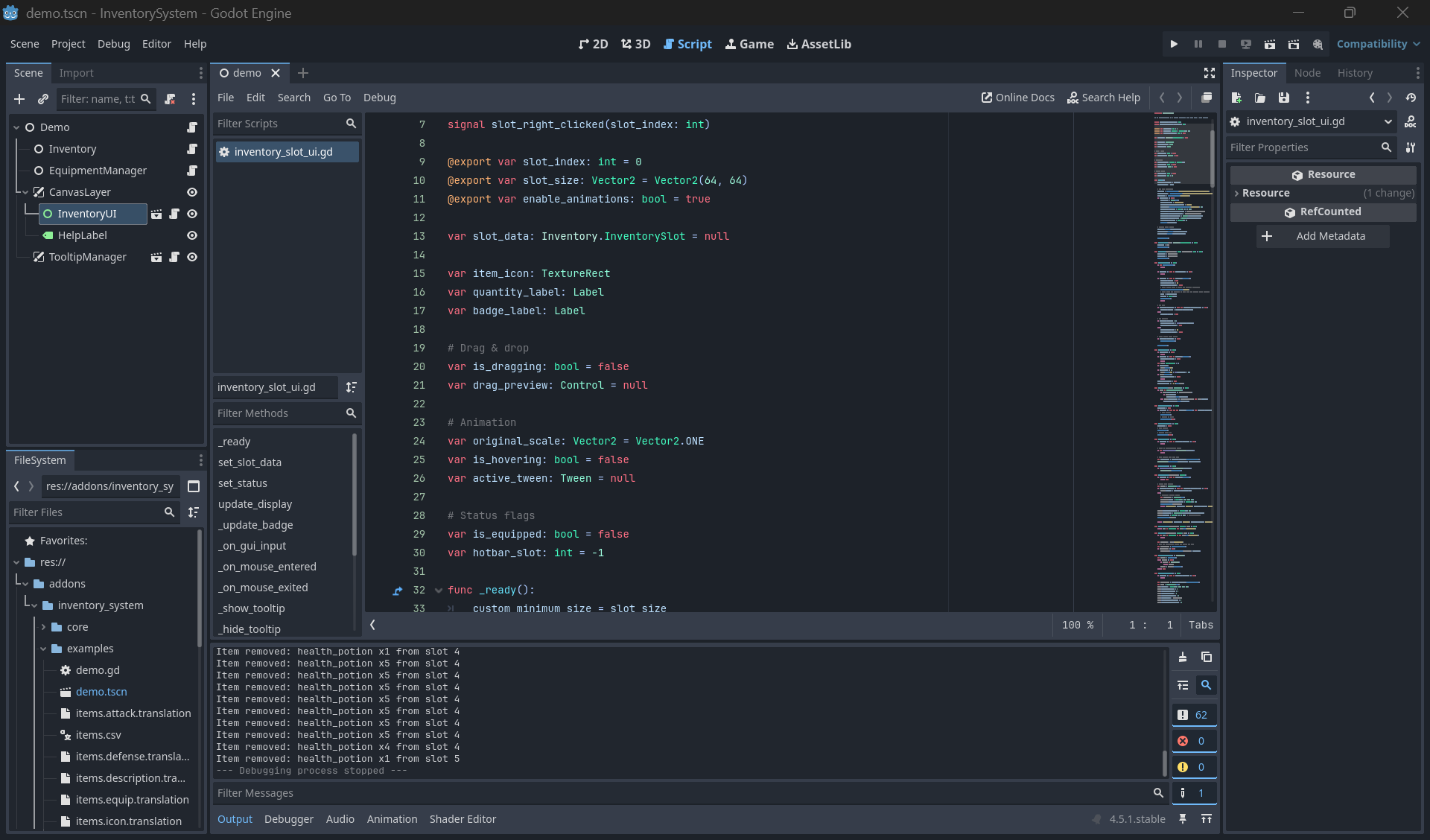
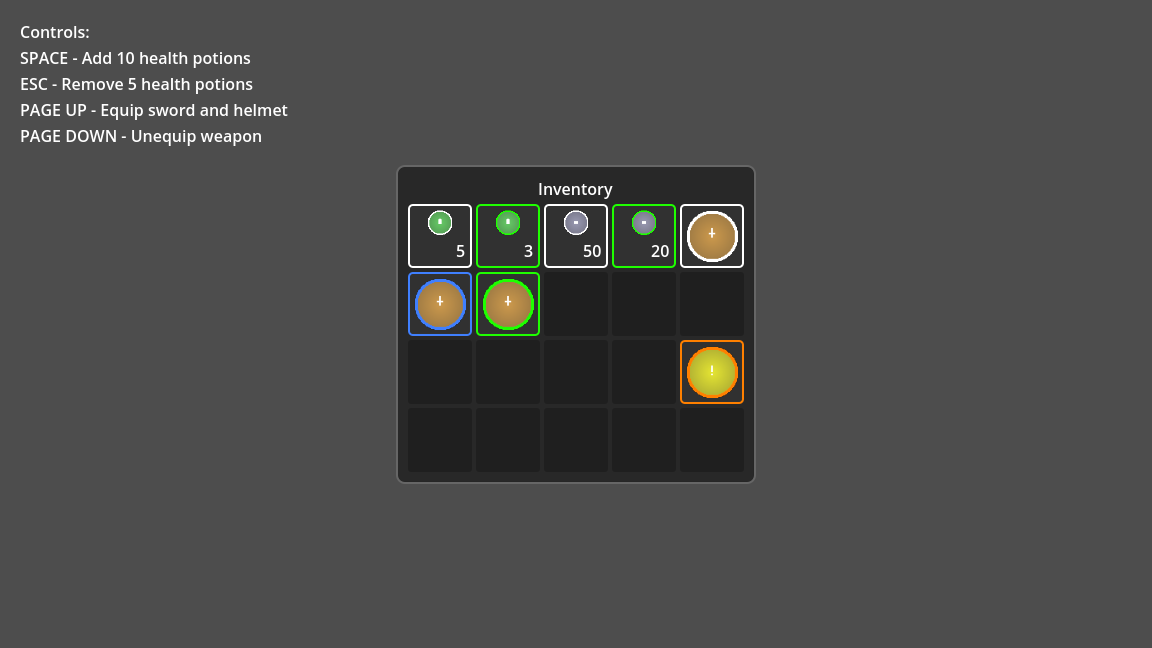
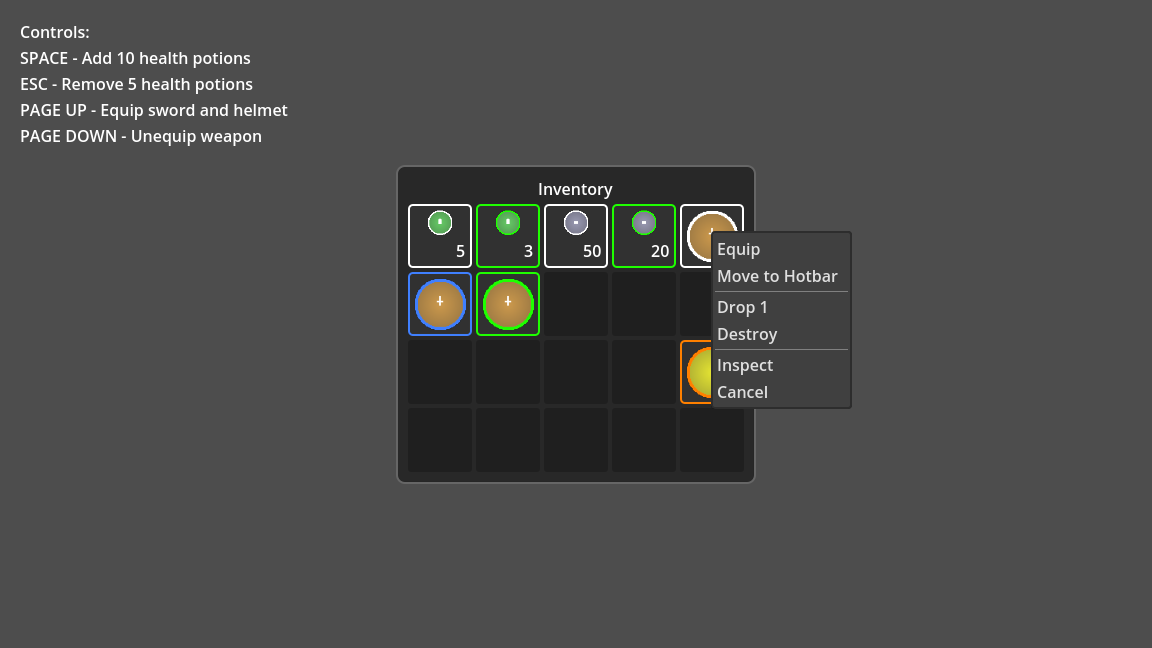
Compatibility: Godot 4.x. Autoload `ItemDatabase` is registered by the plugin when enabled.
**What you get (ready to ship)**
- Inventory: stacking, weight caps, sorting, serialize/deserialize.
- Equipment: 10+ slots, cached stats, equip/unequip helpers.
- UI: grid slots with drag & drop, rarity borders, badges (equipped/hotbar), tooltips, context menu (Use/Equip, Split, Drop 1/X, Move to Hotbar, Destroy, Inspect), hotbar 1–0, hover tooltips.
- Data: Item database loader (JSON/CSV/.tres), ItemData resource with rarity/colors.
- Demo: scene with placeholder icons auto-generated, save/load to disk, confirm dialogs, split/drop dialogs, benchmark hook.
- Docs: this README; MIT license included.
## ✨ What This Plugin Does
- 📦 **Item Database** - Load items from JSON/CSV/Resources with rarity system (Common→Mythic)
- 🎒 **Inventory Management** - Configurable slots, stacking, weight limits, drag & drop, sorting
- ⚔️ **Equipment System** - 10 equipment slots with automatic stat calculation
- 🎨 **Ready-to-use UI** - Grid inventory, hotbar (1-0 keys), tooltips, context menus
- 💾 **Save/Load** - Built-in serialization for game saves
- 🎯 **Plug & Play** - Drop in your project and start using immediately
---
## 📥 Installation (3 Steps)
1) Copy `addons/inventory_system` into your project's `addons/`.
2) Godot: Project → Project Settings → Plugins → enable "Modular Inventory System".
3) (Optional) Restart Godot. `ItemDatabase` autoload is now available globally.
---
## 🚀 Quick Start (5 Minutes)
### 1. Create Items JSON (`res://data/items.json`)
```json
{
"items": [
{
"id": "health_potion",
"name": "Health Potion",
"description": "Restores 50 HP",
"type": "CONSUMABLE",
"rarity": "COMMON",
"max_stack": 99,
"value": 50,
"weight": 0.2
}
]
}
```
### 2. Setup Scene
```
Game (Node)
├── Inventory (Inventory)
├── EquipmentManager (EquipmentManager)
└── CanvasLayer
└── InventoryUI (InventoryUI)
```
### 3. Add Script
```gdscript
extends Node
@onready var inventory = $Inventory
@onready var inventory_ui = $CanvasLayer/InventoryUI
func _ready():
ItemDatabase.load_from_json("res://data/items.json")
inventory_ui.set_inventory(inventory)
inventory.add_item("health_potion", 5)
```
**That's it!** Press F5 and your inventory works.
---
## 📦 Plugin Structure
```
addons/inventory_system/
├── core/ # Core logic
│ ├── item_data.gd # Item resource definition
│ ├── item_database.gd # Global item database (Autoload)
│ ├── inventory.gd # Main inventory system
│ └── equipment_manager.gd # Equipment slots manager
├── ui/ # UI components
│ ├── inventory_ui.gd # Grid inventory display
│ ├── inventory_slot_ui.gd # Individual slot with badges
│ ├── hotbar.gd # Quick access bar
│ ├── tooltip_manager.gd # Tooltip system
│ └── item_context_menu.gd # Right-click menu (Use/Equip/Split/Drop/Destroy/Inspect/Move hotbar)
├── utils/ # Utilities
│ └── icon_generator.gd # Procedural icons
└── examples/ # Demo scene
├── demo.tscn
├── demo.gd
├── items.json / items.csv
└── items.*.translation
```
---
## 📚 Main Components
### 🔔 Signals (summary)
- Inventory: `item_added(item_id, quantity, slot_index)`, `item_removed(...)`, `slot_changed(slot_index)`, `inventory_changed()`, `weight_changed(current, max)`
- EquipmentManager: `item_equipped(slot, item_id)`, `item_unequipped(slot, item_id)`, `equipped_item_changed(slot, item_id)`, `stats_changed()`
- InventoryUI: `slot_clicked(slot_index)`, `slot_right_clicked(slot_index)`
### 🎒 **Inventory** - Main System
```gdscript
# Essential methods
inventory.add_item("item_id", quantity) -> bool
inventory.remove_item("item_id", quantity) -> bool
inventory.has_item("item_id", quantity) -> bool
inventory.sort_by_rarity() # Also: sort_by_name/type/value
inventory.serialize() -> Dictionary # For saving
inventory.deserialize(dict) # Restore from save
inventory.split_stack(slot_index, amount) -> bool # Split stacks into a free slot
inventory.get_item_data(item_id) -> ItemData # Convenience lookup
inventory.is_full(), get_empty_slot_count(), get_total_value(), get_unique_items()
```
### ⚔️ **EquipmentManager** - Equipment Slots
```gdscript
equipment.equip_item("sword_id") -> bool
equipment.unequip_slot(ItemData.EquipSlot.WEAPON) -> bool
equipment.get_total_stats() -> Dictionary # {attack, defense, magic, speed}
```
### 📊 **ItemDatabase** - Global Autoload
```gdscript
ItemDatabase.load_from_json("res://items.json")
ItemDatabase.get_item("item_id") -> ItemData
```
### 🎨 **UI Components**
- **InventoryUI** - Grid display with drag & drop, badges for equipped/hotbar, emits slot click/right-click
- **Hotbar** - 10 slots, keyboard 1-0
- **TooltipManager** - Auto tooltips on hover
- **ItemContextMenu** - Right-click actions (Use/Equip, Split, Drop 1/X, Destroy, Move to Hotbar, Inspect)
---
## 💡 Common Usage Examples
**Using Consumables:**
```gdscript
if inventory.has_item("health_potion"):
player.heal(50)
inventory.remove_item("health_potion", 1)
```
**Equipping Items:**
```gdscript
equipment_manager.equip_item("iron_sword")
var stats = equipment_manager.get_total_stats()
player.attack = base_attack + stats.attack
```
**Save/Load:**
```gdscript
# Save
var data = {
"inventory": inventory.serialize(),
"equipment": equipment_manager.serialize(),
"hotbar": hotbar.save_hotbar()
}
FileAccess.open("user://save.json", FileAccess.WRITE).store_string(JSON.stringify(data))
# Load
var saved = JSON.parse_string(FileAccess.open("user://save.json", FileAccess.READ).get_as_text())
inventory.deserialize(saved["inventory"])
equipment_manager.deserialize(saved["equipment"])
hotbar.load_hotbar(saved.get("hotbar", {}))
```
**Context menu (right click):** Use/Equip, Split, Drop 1 / Drop X, Destroy (with confirm), Move to Hotbar, Inspect (rich text).
**Weight Management:**
```gdscript
inventory.max_weight = 100.0
inventory.weight_changed.connect(func(current, max):
weight_label.text = "%.1f/%.1f kg" % [current, max]
)
```
---
## 🎨 Rarity System
| Rarity | Color | Border |
|--------|-------|--------|
| Common | White | `#FFFFFF` |
| Uncommon | Green | `#1EFF00` |
| Rare | Blue | `#4080FF` |
| Epic | Purple | `#A335EE` |
| Legendary | Orange | `#FF8000` |
| Mythic | Red | `#FF4500` |
Items automatically display colored borders based on rarity!
---
## ⚙️ Configuration
**Inventory Settings:**
- `max_slots = 20` - Number of slots
- `max_weight = 100.0` - Weight limit
- `unlimited_weight = false` - Disable weight
- `debug_mode = false` - Debug logging
**UI Settings:**
- `columns = 5` - Grid layout
- `slot_size = Vector2(64, 64)` - Slot dimensions
- `enable_animations = true` - Hover effects
---
## 🔧 Additional Features
- **Stats Caching** - Equipment stats cached for performance
- **Debug Mode** - `inventory.debug_mode = true` for detailed logs
- **Helper Methods** - `is_full()`, `get_total_value()`, `get_unique_items()`, etc.
- **Accessibility** - Disable animations with `enable_animations = false`
---
## 🎮 Demo Scene
Run `addons/inventory_system/examples/demo.tscn` to see everything in action!
**Demo controls (defaults in Godot 4):**
- ui_accept (Enter/Space): add 10x health potion
- ui_cancel (Esc): remove 5x health potion
- ui_page_up / ui_page_down: equip / unequip sword
- ui_home / ui_end: save / load to `user://inventory_save.json`
- ui_focus_next (Tab): run micro benchmark add/remove
- Left click slot: use consumable or equip item
- Right click slot: context menu (Use/Equip, Drop, Destroy, Split stack)
- Inspect shows detailed stats, weight/value totals, rarity and custom props.
---
## ❓ Troubleshooting
**Items not loading?** - Check file path and JSON syntax
**Drag & drop not working?** - Ensure `set_inventory()` was called
**Tooltips not showing?** - Add TooltipManager node to scene
**Weight not working?** - Set `unlimited_weight = false`
---
## 📜 License
MIT License - Free to use in commercial projects!
---
## 🚀 Ready to Start?
1. Install the plugin (3 steps above)
2. Run the demo scene
3. Copy the setup to your project
4. Start adding items!
**Need help?** Email: claudiu.draghici13@gmail.com
---
*Built with ❤️ for the Godot community*
Leave a comment
Log in with itch.io to leave a comment.